Homepage
The default homepage for S-Launch dynamically adapts its features and functionality based on the user's account type: Internal or External.
🏢 Internal Users
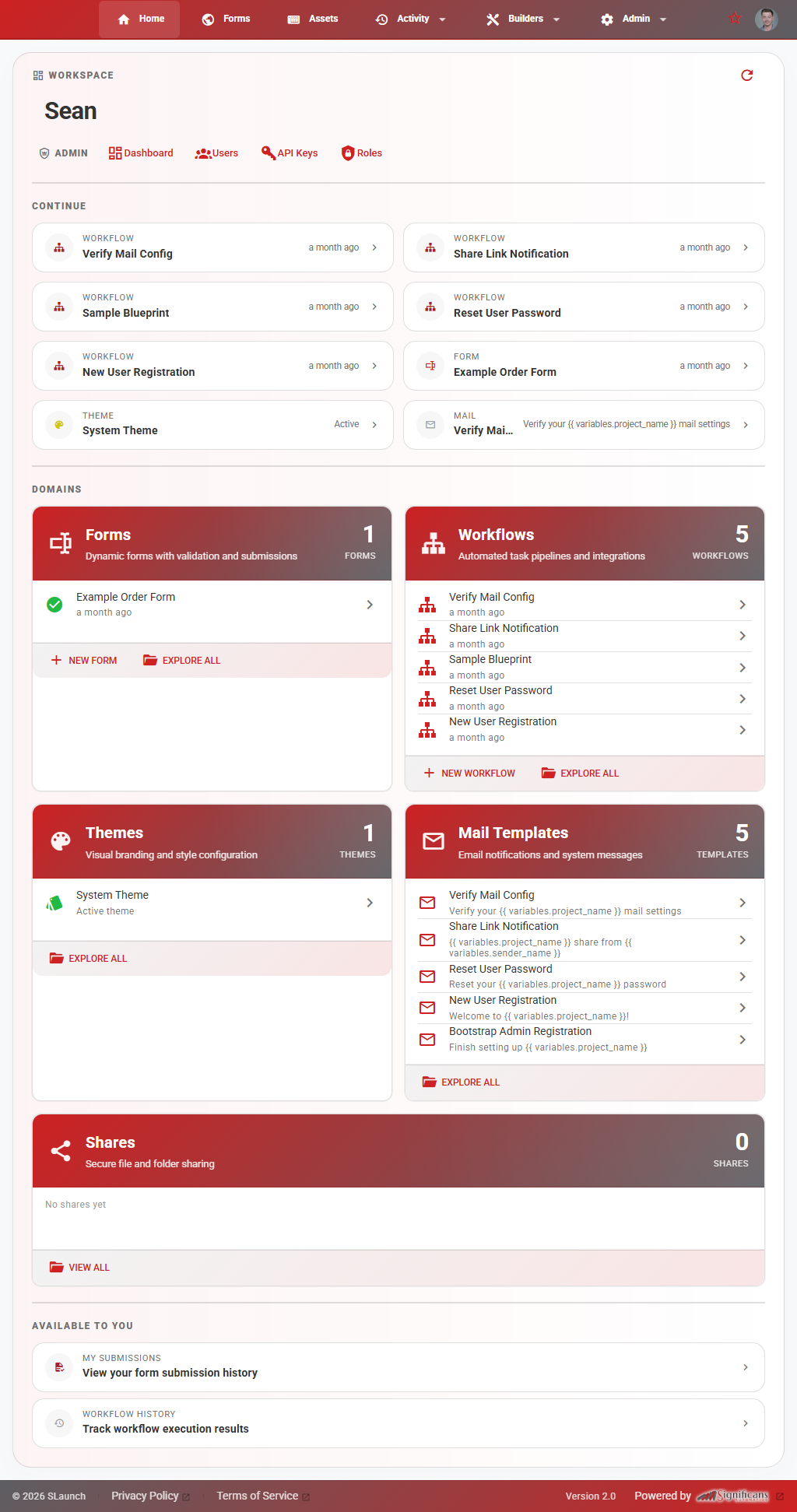
Internal users have a robust workspace dashboard designed for managing platform assets and configurations.
Admin Shortcuts Admin Scope Required
If a user has the Admin Scope enabled, the top row of their dashboard displays administrative shortcuts for quick system management:
- Dashboard — High-level platform analytics and metrics.
- Users — User management, onboarding, and account status.
- API Keys — Generation and management of system integration keys.
- Roles — Granular permission and access control settings.

Recent Activity ("Continue")
Users who have actively edited system components will see their last eight recent activities displayed. These act as direct navigational bookmarks to jump straight back into your work. This could range from forms, mail templates.

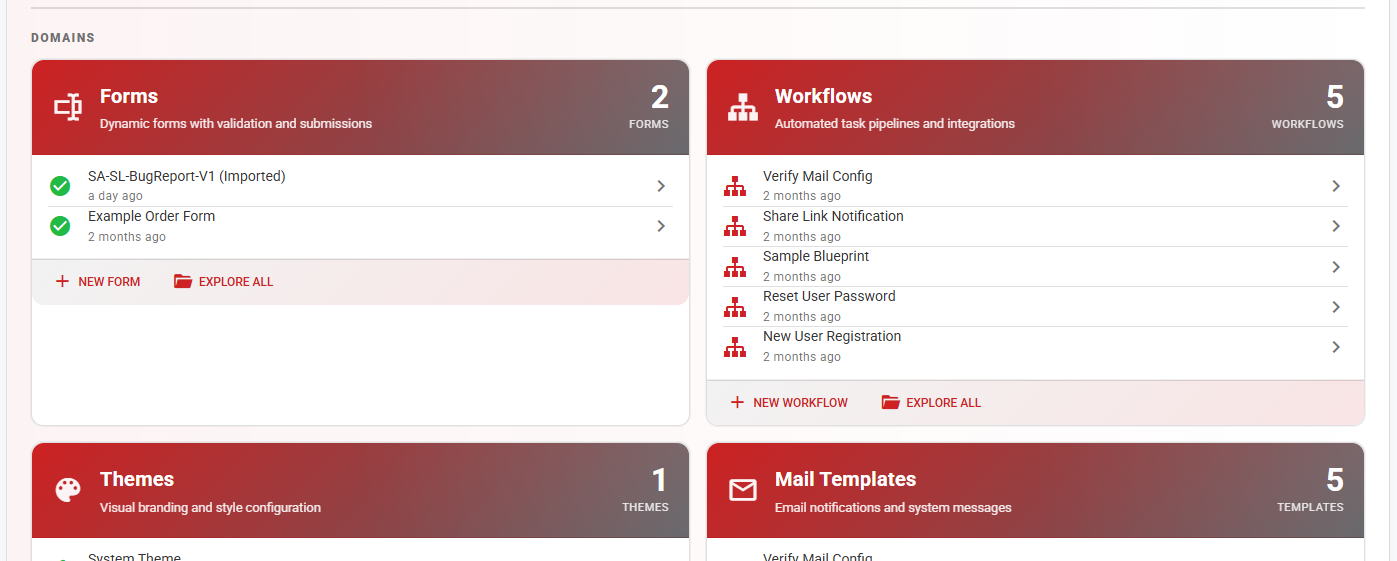
Asset Domains
The core architectural components of S-Launch are organized into five distinct domain sections:
- Forms — User input and data collection layouts.
- Workflows — Automated logic and step-by-step processes.
- Themes — Visual branding and styling configurations.
- Mail Templates — System-generated email layouts.
- Shares — Managed distribution and access links.
"Available to you"
This section displays tailored shortcuts to the specific assets, tools, and environments that the logged-in user has explicit permission to access.

Example Homepage
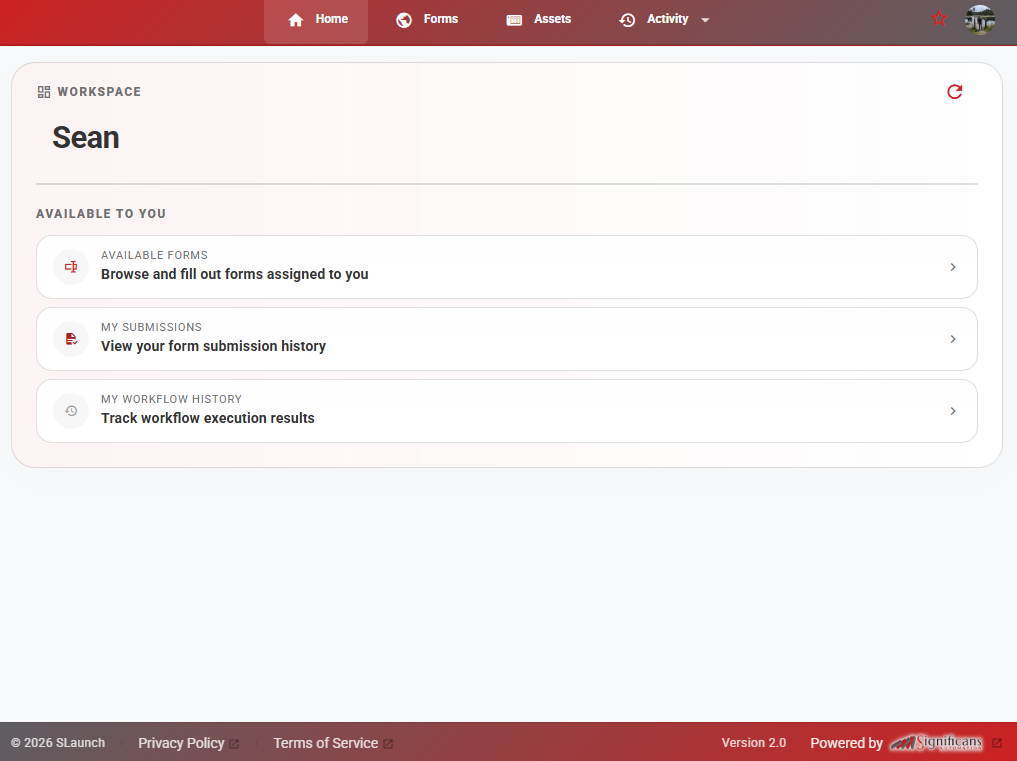
🌍 External Users
External users land on a highly streamlined and simplified "Home" view. To ensure security and a clean user experience, their dashboard exclusively focuses on active deliverables.